

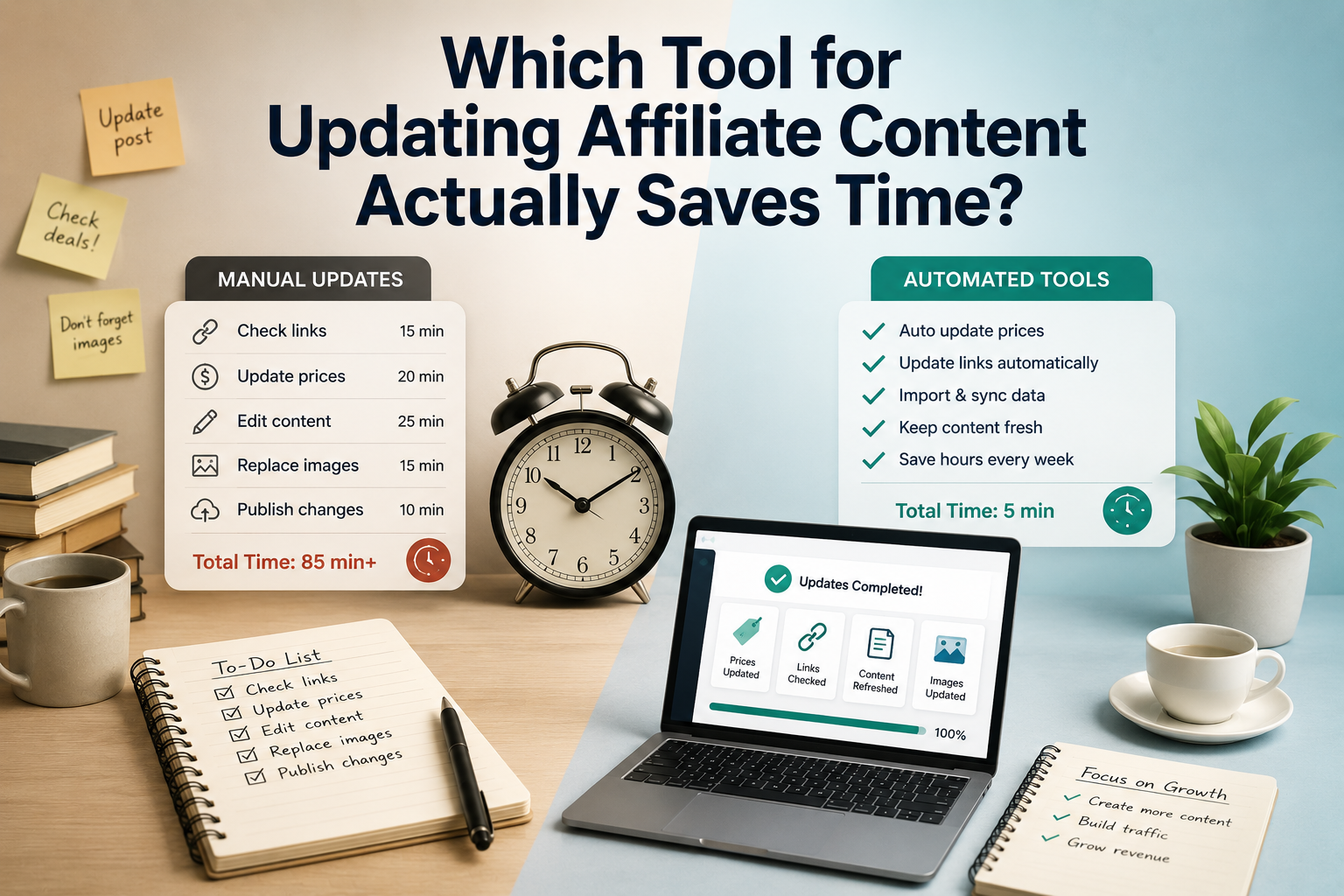
The biggest time drain in affiliate content is not publishing—it’s fixing the same details again and again.
Monday starts with a familiar mess: a price box still shows last week’s deal, the coupon expired overnight, a comparison table lost an image, and the page marked “updated” still needs 12 merchant tabs checked by hand. That is where time disappears. Not in one dramatic overhaul, but in the small, repeated chores that spread across dozens or hundreds of posts.
A tool only matters if it shortens that maintenance loop. The useful ones catch price drift, flag dead promos, refresh product fields, and show exactly what changed before anyone opens the editor. Automation that still demands page-by-page checking is just manual work in nicer packaging. For affiliate teams, the real payoff is fewer recurring checks, fewer silent errors, and content that stays trustworthy between promo cycles.
What “time saved” really means
A tool only saves time if it removes work across the whole update cycle. That means fewer logins, fewer tabs, fewer copy-paste moves between merchant pages and drafts, and fewer manual layout repairs after prices, links, or product blocks change. The real win is not speed during a demo refresh; it is making affiliate post updates faster every week.
A useful scorecard separates setup time from upkeep time:
- One-time setup: integrations, field mapping, templates, rules, and team permissions
- Weekly upkeep: finding changes, applying them, checking formatting, and approving live pages
- Hidden costs: QA passes, rollback fixes, and missed commission windows when broken offers sit too long
This distinction matters because some tools look brilliant on day one and expensive by week six. A heavy setup can still be worth it if it sharply reduces repetitive checks. A lightweight tool can be a poor fit if editors still chase merchant pages by hand, patch comparison tables, and re-test links after every update.
The best buying decision comes from counting touches per page, not features per screen.
If the tool cuts weekly page touches and QA passes, it is saving labor. If it mainly shifts effort into setup or exception handling, the savings are cosmetic.
Match the tool to the workload
Not all affiliate maintenance is the same. A site with stable catalog pages can live with light workflows, while a deal-heavy site with volatile inventory needs faster detection, cleaner bulk edits, and tighter QA. Tool choice usually becomes obvious once the dominant update pattern is named.
The core jobs tend to fall into five buckets:
- Price and stock monitoring for products that change daily or disappear without warning
- Table and comparison block updates across many pages at once
- Promo refreshes for coupons, seasonal banners, and expiring calls to action
- Editorial maintenance such as adding new alternatives, removing weak picks, or tightening buyer guidance
- Publishing edits like redirects, link swaps, formatting fixes, and scheduled pushes
If pricing and availability create most of the churn, the highest-value tool is usually the one that can flag changes early and swap out out-of-stock affiliate links automatically. In that workload, flashy writing features matter less than reliable feeds, rules, and bulk actions.
If the real pain sits in comparison tables or editorial refreshes, the better fit is often a system with structured content fields, reusable blocks, and change tracking. The fastest tool is rarely the one with the longest feature list; it is the one that removes the most repeated touches from the busiest update path.
The category matters more than the feature list
Most affiliate update tools fall into four buckets, and each saves time in a different way. The mistake is comparing feature lists across categories as if they solve the same problem. In practice, the best fit is usually the one that handles the highest-frequency update work with the fewest moving parts.
- Feed/API import plugins: best for price, stock, and comparison boxes. Setup is moderate to high because mappings, templates, and network quirks need QA. Reliability is strong when the source data is clean, and review work shifts from page-by-page editing to exception checking.
- Manual table and block plugins: easy to launch and great for layout control. Reliability is only as good as the editor’s discipline, so review overhead stays high when offers change often.
- AI and content refresh tools: useful for rewriting intros, updating promo wording, or expanding reviews. They are far less dependable for structured fields like price and availability, so human review remains essential.
- Stacked automation workflows: scraper, sheet, Zap, CMS, then a display plugin. Flexibility looks impressive, but every handoff adds another failure point: broken selectors, changed field names, delayed syncs, or duplicate entries.
The time-saving winner is rarely the tool with the longest capability list. It is the category that matches the workload most closely, with enough control to stay on-brand and enough reliability to reduce repeat checks.


How to spot a tool that genuinely cuts the workload
-
Tight change detection
The best tools isolate only the rows, products, or fields that changed. That keeps editors from rechecking entire pages just to confirm nothing else moved.
Look forFlags precise deltas with source timestamps, thresholds, or field-level alerts.AvoidBroad “something changed” alerts that force full-page manual review. -
Reliable WordPress output
Time disappears in cleanup when a tool breaks table styling, shortcodes, blocks, or disclosure formatting. A useful system writes back in a way that survives theme updates and normal editorial edits.
Look forStable mapping into blocks, tables, and affiliate links with predictable formatting.AvoidHTML dumps or fragile embeds that need hand-fixing after every sync. -
Exception handling
Real sites live on messy inputs: missing prices, merged variants, expired promos, and merchants with inconsistent feeds. A good tool fails gracefully and routes odd cases into a short review queue.
Look forFallback rules, partial syncs, conflict flags, and easy rollback.AvoidAll-or-nothing updates that publish blanks, duplicates, or broken comparisons. -
Review friction
Even accurate data can waste time if an editor cannot quickly verify what changed. Clear diffs, approvals, and logs reduce QA rounds and make updates safer to delegate.
Look forBefore/after previews, change logs, and page-level approval controls.AvoidBlack-box automation with no audit trail or editor checkpoint.
This guide judges tools across the whole maintenance loop, not the first-day demo. A tool scores well only when setup effort is repaid by lighter weekly upkeep and fewer cleanup passes inside WordPress.
-
Setup cost
Initial configuration matters, especially for product mapping, table templates, and affiliate link rules. Heavy setup is acceptable only when it removes recurring manual steps later.
-
Weekly touch time
The core question is how many pages still need opening, scanning, reformatting, and rechecking each week. Fast detection without fast editing does not count as major savings.
-
Messy-case recovery
The guide gives extra weight to what happens when feeds break, merchants disagree, or a promo expires early. Review and comparison sites win with tools that contain damage instead of spreading it.
Assessment assumes active WordPress review and comparison sites with reusable layouts, comparison tables, affiliate links, promo modules, and a final human check.
The strongest fit for most WordPress publishers
For most affiliate sites built on WordPress, the biggest time win comes from reducing handoffs. When product import, refresh, display, and post updates live in separate tools, every change creates extra checking, formatting, and QA. A single in-dashboard workflow usually beats a clever toolchain.
That is where Content Egg Pro stands out. It pulls product data from 30+ affiliate networks, handles recurring price and availability sync, and writes those updates into the same environment where the article already lives. That matters because the real cost is rarely the first import; it is the hundreds of small corrections that follow.
Why it saves more time
Its advantage is strongest on review, round-up, and comparison-heavy sites where the same product data appears in many places. Reusable Egg Blocks and product templates make it easier to keep layouts consistent while reducing manual table repairs.
- Bulk keyword and feed import helps scale new pages faster
- Price comparison blocks reduce rebuild work across posts
- WordPress-native editing keeps sync and formatting in one workflow
- Amazon No-API support can simplify a common operational headache
This is not the best fit for every stack. A publisher managing content outside WordPress, or needing a highly custom data pipeline, may prefer a specialized external system. But for the typical WordPress affiliate operation, Content Egg Pro covers the work that recurs most often — and that is usually where the time disappears.

Cut recurring update work
When affiliate pages rely on frequent price checks, comparison tables, and repeated product blocks, Content Egg Pro keeps that workload inside WordPress instead of across multiple tools. That usually means fewer fixes, faster refreshes, and less QA after every sync.
Why comparison-focused publishers choose it
When another tool type makes more sense
A WordPress-native updater is not the automatic winner. The better choice depends on where content lives, how many systems touch it, and whether updates are mostly machine-safe or editor-reviewed.
If the stack spans Google Sheets, Slack, a CMS, and approval steps, an automation layer can be the cleaner answer. In that case, the tradeoff is less about raw sync speed and more about controlled handoffs, audit trails, and routing logic; this is where WordPress plugins and Zapier-style publishing workflows deserve a closer look.
Custom code becomes the stronger pick when the site is headless, the feeds are messy, or affiliate data needs heavy normalization before publishing. A technical team can enforce business rules, retries, logging, and fallbacks that off-the-shelf tools may only approximate.
Editorial refresh platforms also have a place. For low-frequency pages that need judgment calls—rewritten intros, compliance checks, swapped merchants—the wrong outcome usually comes from forcing a feed-sync tool onto a human workflow, not from the tool category itself.
The pattern is simple: stable stack, frequent structured changes favor native sync; complex handoffs or custom logic favor other tools.
What usually holds teams back
Does automation make affiliate pages feel thin?
Not by itself. Thin pages usually come from using feed data as the whole article instead of limiting automation to structured fields.
Is manual review still required?
Yes, but at fewer moments. Prices, stock, specs, links, and table rows can update automatically; recommendations, verdicts, and buyer-intent edits still need editorial judgment.
What if products disappear or feeds miss items?
That is a tool-quality issue, not a reason to avoid automation. Strong setups flag missing products, preserve fallbacks, and show clear diffs before anything important breaks.
Is migration too painful to justify?
Migration is often the biggest one-time cost because old shortcodes, merchant mapping, and templates need cleanup. After that, recurring maintenance usually gets much lighter.
Do maintenance gains also improve rankings?
Not automatically. Fresh data protects trust, CTR, and conversion first; ranking gains usually appear when those updates are paired with stronger recommendations and sharper buying advice.
The safest split is simple: automate facts, review judgment.
Automate: price, stock, merchant links, specs, comparison rows, promo changes Review manually: recommendation order, “best for” picks, narrative comparisons, SERP-intent shifts, unusual pricing or recall eventsPick the lowest-friction path
- WordPress plus high post counts favors native sync.
- Volatile pricing and stock create the fastest automation payoff.
- Comparison modules matter most when they directly lift clicks and commissions.
The simplest choice starts with the workload. WordPress publishers running many commercial pages, dealing with frequent price or stock movement, and earning from comparison-driven clicks usually gain the most from a plugin that updates data inside the CMS. Smaller sites, steadier catalogs, or recommendation-heavy edits often need less automation.
A safer rollout starts on aging money pages. Measure hours per refresh, stale-offer corrections, and post-update error rates. If time drops and accuracy improves, expansion becomes evidence-led instead of guesswork.
What the licenses cost
- 5 sites license
- All Pro features included
- Plugin updates included
- 1 year free support
Pilot it on aging pages
For teams balancing manual upkeep against automation, the clearest answer comes from a controlled test. Start with older money pages and compare refresh time, stale-offer fixes, and error rates before expanding sitewide.











21 responses to “Which Tool for Updating Affiliate Content Actually Saves Time?”
I’m still skeptical that “one workflow beats toolchains” for most people. Maybe for cleaner setups, sure.
But real sites get messy fast. Custom tables here, random shortcodes there, old posts touched by 3 different freelancers lol. In that situation I almost feel like specialized tools + manual review is safer than trusting one system to handle everything.
That’s a fair pushback. “One workflow” isn’t the same as “one magic button” — messy sites still need review, and legacy formatting can absolutely limit how much you should automate.
The reason I favor fewer tools is reliability. Every extra handoff introduces another place for data mismatches or silent failures, but if the site structure is inconsistent enough, a narrower setup with review may indeed be safer.
I had the same reaction. The cleaner the site, the more the article’s advice makes sense.
On older Frankenstein sites, sometimes the best tool is honestly “don’t let it touch half the post” 😂
The bit about automation fitting structured fields but not editorial judgment made sense, but where’s the line in practice?
Like if a product goes out of stock, should the tool just swap in the next best item automatically? Or is that already crossing into “human should decide”? I can see teams being tempted to automate that and then wondering why their page quality got worse.
That’s exactly where the line gets important. Updating a structured field like price, availability, or merchant URL is usually safe to automate because the change is objective.
Replacing a recommendation with a different product is an editorial decision. Even if the out-of-stock signal is automated, choosing the new “best” option should generally involve human review because quality, intent, and ranking context all matter.
Yep, this is where people get burned. “Next best item” sounds logical until the replacement has worse reviews, different use case, or just doesn’t match why the page ranked in the first place.
Exactly. Automation can flag the need for review, but it shouldn’t quietly make recommendation-level decisions unless the content model is extremely narrow and tightly controlled.
The “safe WordPress writeback” part jumped out at me because that’s the bit that scares me 😅
What counts as safe here? Just having backups? Or more like only updating specific fields/blocks instead of rewriting the whole post?
I’ve had a plugin mangle formatting before, so now I’m paranoid.
That paranoia is justified. “Safe” usually means the tool updates only the intended parts of a post, preserves formatting, and makes the changes predictable rather than touching the whole article blindly.
Visible diffs, scoped updates, and the ability to review what changed are all good signs. Backups still matter, but they’re the fallback — not the thing that makes the workflow safe in the first place.
I’m a little confused about “category matters more than the feature list.”
If one tool has alerts, tables, syncing, and some automation built in, why wouldn’t that automatically beat a narrower tool? Is the idea that too many handoffs between systems create more chances for stuff to break?
Pretty much, yes. A long feature list sounds great, but if the tool’s category doesn’t match the actual job, you often end up forcing it into a workflow it wasn’t built for.
For example, if most of your effort comes from WordPress affiliate tables and recurring product changes, a workflow native to that environment is often more reliable than stitching together several general-purpose tools. Fewer handoffs usually means fewer silent errors.
I liked the point that missed offers count as labor cost too, not just time spent clicking around. People always ignore that.
Question though: for price/stock changes, how precise do alerts need to be before they’re actually useful? If I get flooded every day, I’m gonna start ignoring them real fast.
When you say setup time and upkeep time should be judged separately, do you mean a tool can be worth it even if onboarding is kind of a pain?
I always get stuck comparing “5 mins to install” marketing claims vs the actual weekly work after that. Feels like the second part is what matters more, but maybe I’m oversimplifying it.
Yes — that’s exactly the distinction. A tool can take longer to configure upfront but still save meaningful time if it reduces repeated checks, manual fixes, and QA every week after setup.
The easiest way to judge it is by separating one-time implementation from recurring workload. For affiliate content, recurring upkeep usually becomes the bigger cost.
For someone who mostly earns from comparison pages, would you prioritize table syncing over promo alerts?
The article kind of hints that volatile inventory should decide priority, but I wasn’t sure how that applies when the money pages are comparisons rather than single-product reviews.
Yes, in many comparison-heavy sites I’d usually prioritize the system that keeps tables, product data, and recurring affiliate fields current. Those pages tend to suffer quickly when one row goes stale or an offer disappears.
Promo alerts still matter, but if your revenue depends on comparison pages staying trustworthy, the underlying product sync often has more day-to-day value.
Can you explain “visible diffs” like I’m five? 😂
Do you mean a before/after view of exactly what changed inside the post? Because if so, that honestly sounds more valuable than the update itself. Half my time is spent checking whether the tool did something weird.
When you say Content Egg Pro is the strongest fit for most WordPress publishers, is that mostly because of the recurring sync and comparison blocks?
I’m asking as a beginner here — I don’t really care about giant feature lists, I care about not breaking posts and not doing the same update 40 times. If my site has a lot of roundup posts with repeated product mentions, is bulk affiliate updating the main reason to look at it?
Yes, that’s a big part of the argument. For many WordPress affiliate sites, the time drain comes from repeated product mentions, recurring data changes, and keeping comparison-style content aligned across many posts.
A tool that can sync recurring fields, support comparison blocks, and handle bulk affiliate updates inside WordPress reduces repeated touches. That tends to matter more than having a massive feature list you won’t consistently use.
How would you decide between Content Egg Pro and an automation tool if you only have like 80 posts, not hundreds?
I’m on WordPress, but some of my offers also go into email and a spreadsheet for a VA. So I’m not sure if “lowest friction” for the site means more friction everywhere else.
That’s a good example of why volume alone doesn’t decide it. If the main pain is keeping WordPress pages accurate, a native WordPress workflow may still be the best first step even at 80 posts.
If your real burden is moving the same data across several systems, then automation can make more sense. I’d pilot the site workflow first on a subset of older pages and measure whether the WordPress savings outweigh the extra handoff work elsewhere.