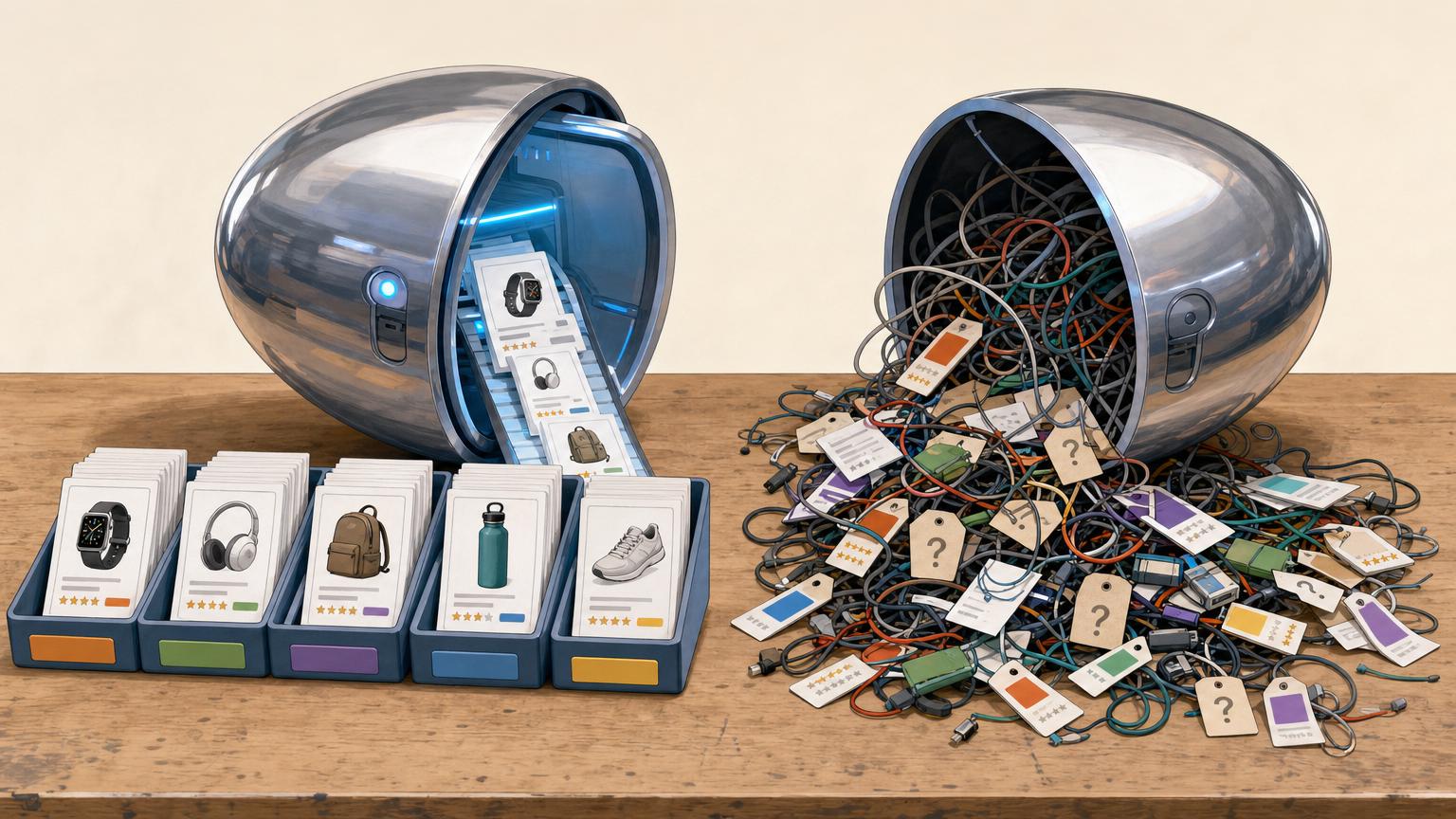


A supplier’s filing system is rarely a shopper’s route to the right product.
A feed may place a picnic blanket under Outdoor Living > Seasonal Textiles, while a visitor is looking for “Picnic & camping.” Neither label is wrong; they simply answer different questions. Merchant categories often exist to manage stock, buying teams, brand ranges, or warehouse rules. A browse menu has a narrower job: help someone recognise where to click.
Publishing feed labels unchanged can produce long, uneven menus: one branch may say “Accessories,” another “Spring/Summer Collection,” and a third carry an internal-sounding name such as “SKU Group 14.” Shoppers then have to decode the retailer’s inventory logic before they can compare products. Feed categories still provide valuable clues about what an item is, but they work best as raw mapping input, not as the final navigation structure.
- Map products by the shopping intent behind a label, not merely by its wording.
Keep Feed Labels Separate From Browse Paths
Source category
A supplier’s changing label, such as “Home & Garden > Other,” retained for imports and troubleshooting rather than shown as site navigation.
Browse category
A durable destination built around shopping intent: “Kitchen,” “Garden,” or “Pet Supplies.” It should remain understandable even when suppliers rename feeds.
Many-to-one mapping
Several source labels can point to one clear destination. This is the practical core of an affiliate product data organization framework, reducing a cluttered menu without discarding source detail.
Primary placement
Each product needs one main browse path. A second placement may help genuinely cross-purpose items, but repeated copies make filtering, counts, and navigation harder to trust.
Read the feed before writing rules
Export a small but varied sample: popular items, long-tail items, several merchants, and products from each supplier department. Compare the fields that might classify an item—supplier category, title, brand, description, product type, and attributes. The category field is often useful evidence, but rarely a complete answer.
Make a quick audit list of values that need special treatment:
- Inconsistent:
Home Decor,Home & Décor, andDecor - Empty: no category, or a placeholder such as
Other - Overbroad:
Women,Sale, orNew Arrivals - Promotional:
Clearance,Gift Ideas, or seasonal campaign names
Before mapping anything, normalize duplicate matched feed products before categorization. The same product may arrive from multiple merchants or in repeated feed updates; otherwise, duplicates can receive conflicting paths and distort category counts.
For each distinct item, retain the original value alongside a cleaned version: trim spaces, standardize case, and merge obvious spelling variants. Do not silently turn Sale into a department. It may be a useful filter later, but it does not describe what a visitor is shopping for. A short audit spreadsheet usually reveals which fields can support dependable rules and which require title or attribute clues.
Ten items from one well-structured supplier can look reassuring. Include messy suppliers and sparsely populated categories; they reveal the exceptions the mapping must handle.
Start with the shopper’s destination, not the supplier’s path
-
Name the broad departments first
Begin with a small set of places a visitor would expect to browse, such as Women, Men, Kids, Home, Beauty, and Sports. A department should answer a clear shopping question without exposing warehouse or merchant terminology.
-
Add subcategories only when they earn their place
Create a child category when it contains enough distinct products to browse comfortably and has a name shoppers recognise. “Shoes” may deserve Boots, Trainers, Sandals, and Heels; a thin group such as “Platform Rain Boots” usually works better as a filter.
-
Keep paths short and labels plain
Two or three levels are usually enough: Women › Shoes › Boots. Avoid labels such as “Footwear Collection,” “Lifestyle,” or brand-specific wording when a familiar noun will do.
-
Merge different feed paths into one destination
A merchant’s
Ladies > Footwear > Ankle Boots, another’sWomen’s Shoes > Boots, and a third’sFemale > Winter Footwearcan all map to Women › Shoes › Boots. The feed paths remain useful evidence, but visitors see one consistent route. -
Allow exceptions without multiplying categories
If a product belongs naturally in more than one place, choose one primary browse category and use attributes for the rest. A waterproof hiking boot might live under Sports › Outdoor Footwear while “waterproof” and “hiking” remain filters.
A shallow tree is easier to scan, maintain, and expand when new suppliers arrive.
Turn category choices into a mapping table
A mapping table is the practical record of every decision between an incoming feed and the browse taxonomy. It can begin as a spreadsheet; the useful part is that it is easy to review, test, and update.
| Source | Destination | Signals | Priority | Confidence | Exceptions |
|---|---|---|---|---|---|
Supplier A: Trail Shoes |
Footwear > Hiking shoes | title contains “hiking” or “trail”; product type | 1 | High | Sandals go to Footwear > Sandals |
Supplier B: Outdoor |
Outdoor gear | brand, title, description | 3 | Medium | Tents use Camping > Tents |
Record the source label or feed, the canonical destination, and the fields that support the match. Priority states which rule wins when several apply. Confidence is a useful warning flag: “low” rows deserve a small sample check after import. Exceptions belong in the same row or a linked note, rather than in somebody’s memory.
Apply rules from strongest evidence to weakest
A dependable sequence might be:
- Exact supplier category or product type when it has proved reliable.
- Explicit attributes, such as
shoe_type=hikingorsport=cycling. - Title keywords with clear terms, such as “tent” or “road bike.”
- Brand or collection clues when a brand’s range is narrow.
- Parent-category fallback for records that remain unclear.
This order matters. A title saying “Trail” should not override a trustworthy product type that identifies the item as a sandal.
Each product also needs one canonical primary category. The same backpack may arrive through two suppliers with different source paths, but both should resolve to the same browse destination. That primary choice keeps navigation, filters, internal links, and product counts from shifting according to which feed was imported last.
Sort the table by low confidence and review a handful of matched products. If a rule needs many exceptions, it is usually too broad or relies on the wrong signal.
Keep uncertainty visible
A record labelled “Accessories” does not justify a destination such as “Phone Cases.” Map it only to the broadest path the evidence supports, such as Electronics > Accessories, or leave it unclassified. A precise-looking wrong page is harder to spot and repair than an honest gap.
Products without a stable SKU, partner ID, or usable product URL should enter a review queue rather than receive an automatic destination. A simple method for handling missing identifiers during category mapping helps keep these cases traceable. Record the feed row, supplier, reason for the hold, and any likely department.
Copying each supplier branch one-for-one recreates the clutter the taxonomy is meant to remove. Publishing uncertain products in every plausible category is no better: it creates duplicates, weakens filters, and sends shoppers to misleading lists. One provisional broad placement—or no placement until review—is the safer fallback.
Keep variants from multiplying browse paths
Classify the parent product once, then let its size and colour variants inherit that destination.
A blue, red, small, and large version of the same jacket should lead to the same Jacket page. Variant attributes belong in filters and product selection, not in extra navigation branches.
Give each parent product one primary browse destination; add another only when it serves a genuinely separate shopping purpose.
Repeated placements make counts unreliable and send shoppers through competing routes. Clear rules for product variants also prevent a supplier’s colour or size rows from becoming duplicate listings.
Classify a bundle by the main reason someone buys the set, using a distinct bundle category only when the catalogue supports it.
A camping starter kit may belong in Camping Gear, rather than separately under every included torch, mug, and utensil. Its components can still appear in search and filters.
Walk the paths shoppers take
Rules can look tidy in a spreadsheet yet produce an awkward shop. For each merchant and top-level department, follow ordinary routes: find a familiar item, open its department, narrow to a child, and compare nearby results. Repeat with a popular product, a niche product, and one with a weak or missing source label.
Check each destination for:
- Relevance: Do the first products match the page name?
- Depth: Are there enough live items to browse?
- Overlap: Do near-identical items appear in competing destinations?
- Holes: Are there empty pages, swollen “Other” buckets, or products with no browse path?
Record failures against the mapping rule, not only the product. A thin, mixed collection may need a broader parent; a crowded catch-all may justify a new child. Products stranded in review need a temporary honest placement or a prompt fix.
When a grouping works, make it an affiliate product collection page rather than an invisible rule. Clear names, current stock, and coherent results make collections worth browsing.
Stock changes can turn a sensible collection into a thin one.
Run mapping as a repeatable release process
-
Stage each feed change
Load new supplier labels and revised rules into a staging copy. Compare category counts with the live version before anything replaces it.
-
Clear the exception queue
Review unmapped records first, then low-confidence rows and unexpected count swings. Note the reason for every override so the same ambiguity does not return unnoticed.
-
Retest real browsing paths
Open the destination pages a shopper would use and inspect the products gathered there. If a placement feels surprising, the rule needs adjustment even when the label seems technically defensible.
-
Publish a dated version and watch for breaks
Keep a rollback copy, then monitor empty categories, abrupt product losses, duplicate placements, and failed imports after release.
-
Match the tool to the workload
A documented spreadsheet works well for a few stable feeds and a manageable review queue. When frequent imports, many rules, or several editors make changes hard to trace, it may be time to choose feed-mapping software for a larger operation.
Let the shopper path settle the question
- A visible exception queue is safer than silently forcing uncertain products into a narrow category.
- The best tool is the one that keeps changes reviewable, reversible, and understandable.
A mapping is never finished; it is a small publishing routine that improves with each feed change. The governing test remains simple: can a visitor follow a familiar path and reasonably expect the products found there?