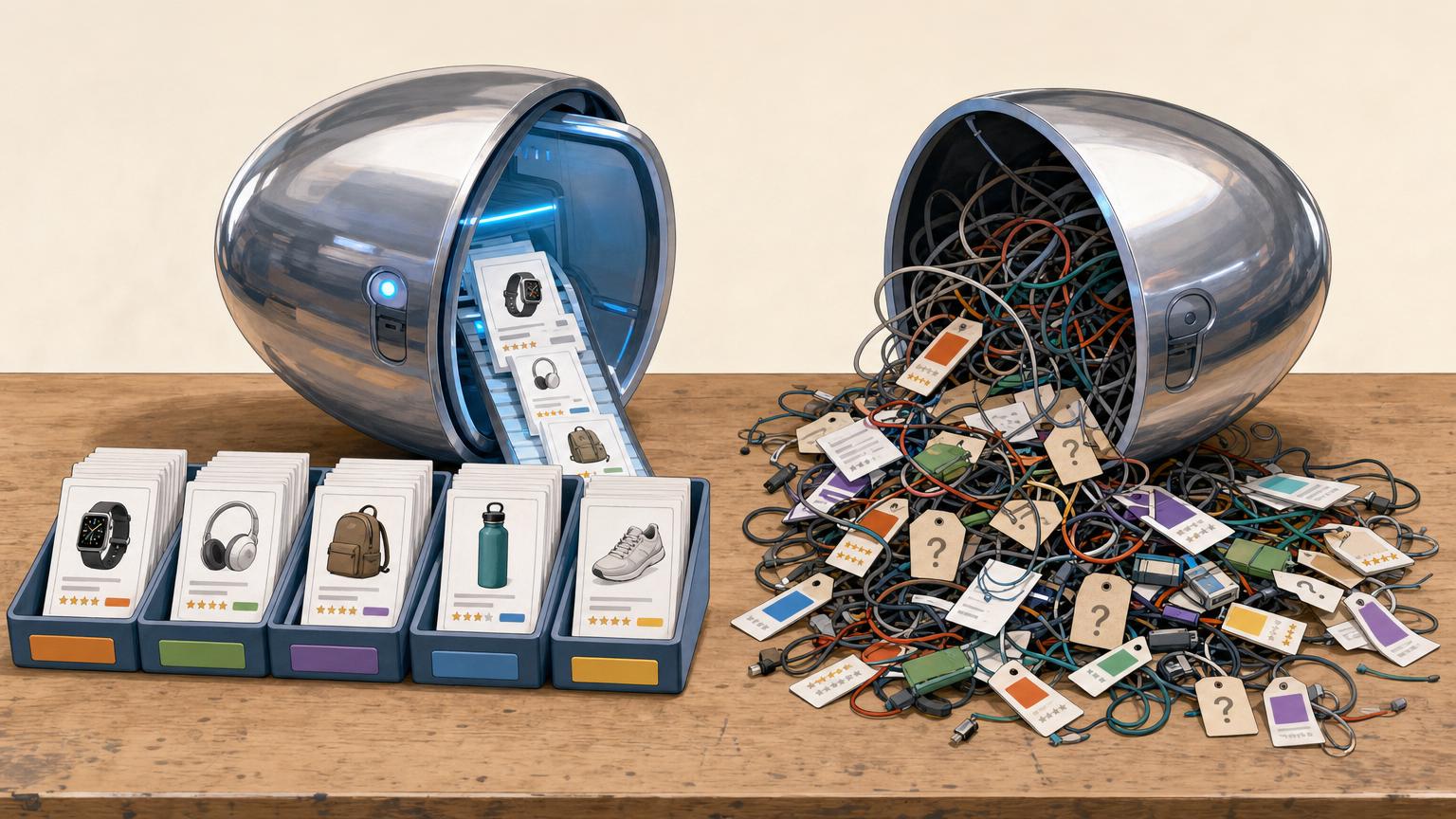


A catalog rarely breaks all at once; it drifts there one imported row at a time.
On Monday, a publisher adds 40 products from a merchant feed. The sheet still looks tidy. By Friday, one kettle appears under Electric Kettle, Tea Maker, and KETTLE 1.7L; two rows carry different prices; one tracking link is already dead.
Nothing looks urgent when there are only a few duplicates. Yet each new import can preserve an old title, overwrite a category, or add a near-identical item with a slightly different URL. The visible work—publishing product cards—continues, while the hidden work of deciding which row is correct gets harder. By the time mismatches show up on a live page, cleaning them often means checking hundreds of entries instead of a handful.
- The same merchant item has more than one product name or destination URL.
- Prices or availability disagree across rows imported on different dates.
Keep the product separate from the offer
Product record
The stable catalog item: its brand, model, title, core specifications, images, and internal ID. A record should still make sense even if no retailer currently sells it.
Retailer offer
A merchant’s current way of selling that product, including price, stock status, destination URL, shipping details, and affiliate tracking link. These details can change often.
One product, many offers
The same headphones may appear at three retailers. They belong under one product record, with three attached offers—not as three nearly identical catalog items.
Matching key
A manufacturer part number, UPC/EAN, or a carefully checked brand-and-model combination helps connect incoming listings to the existing product record.
A different seller, price, color-dependent URL, or tracking link usually calls for another offer, not another product.
A new product record is more appropriate when the model, size variant, bundle contents, or manufacturer identifier genuinely differs. When uncertain, park the listing for review rather than creating a duplicate that will need cleaning later.
Use a field set that stays easy to fill
-
Give every product an internal ID
Use a short, permanent code such as
P-00127. It prevents confusion when two items have similar names or a retailer changes its product title. -
Record the product name and brand
Keep one preferred name for the product record, plus the brand when known. Use the same spelling and order each time rather than copying every retailer’s wording.
-
Choose one simple category
A broad category is enough at first: headphones, cookware, desk lamps, or similar. A small fixed list is more useful than a clever tag system that is rarely maintained.
-
Keep the offer details beside the offer
For each retailer offer, capture the retailer name, destination URL, current price, currency, availability, and the date it was checked. These are the fields needed to find a live link and spot stale information.
-
Add only fields that answer a real future question
Model number, color, image URL, coupon notes, commission rate, and shipping details can wait. Leave them blank or omit them until they will be used consistently.
A spreadsheet with these columns is sufficient for an early catalog; a database can come later.
A missing color is usually harmless. A price stored as $99, 99 USD, and 99.00 in different rows creates avoidable cleanup later.
Pick one format for dates, currencies, category names, and availability values. For example, use 2025-03-08, three-letter currency codes, and only in stock, out of stock, or unknown.
Keep a small change trail
A catalog does not need a complex version-control system to be safer. It does need enough history to answer a basic question: why does this field say that?
For every import, keep the source label (such as a retailer, network, or CSV filename) and the import date. Retain the feed’s value separately from the value cleaned by an editor. This is especially helpful for names, brands, GTINs, prices, availability, and product URLs.
Keep the original beside the correction
A simple record might show:
| Field | Feed value | Normalized value | Source/date |
|---|---|---|---|
| Brand | ACME Corp. |
Acme |
Merchant feed, 14 May |
| Availability | In Stock Now |
in_stock |
Merchant feed, 14 May |
The original value is evidence, not clutter. If another feed later calls the brand “Acme Tools,” the editor can compare both incoming values instead of guessing which wording was invented during an earlier cleanup.
When a supplier removes a description, image, or identifier, do not silently overwrite the existing record with a blank. Mark the new feed value as missing, retain the last known value, and flag it for review. A short note such as “GTIN removed in June import; previous value retained” makes later corrections reversible and prevents a temporary feed error from erasing useful catalog data.
Match records by evidence, not appearance
A matching rule should be written down before imports are compared. It gives every similar-looking row the same treatment and makes later corrections far less mysterious.
Use the strongest evidence first
A practical hierarchy might look like this:
- Exact GTIN, UPC, or EAN match — usually the clearest sign of the same sellable item.
- Brand plus manufacturer part number (MPN) — strong when the identifier is consistently supplied.
- Retailer SKU — useful for tracking an offer within one merchant, but rarely enough to match across merchants.
- Normalized title plus key specifications — compare brand, model, size, colour, capacity, pack count, and other details that affect what is being sold.
The first two levels can support an automatic match after a quick spot-check. Title-based matching should normally create a review candidate, not a final decision. A guide to matching records across different feeds without duplicates can help turn these checks into a repeatable routine.
Treat lookalikes as questions
Two rows called “Trail Bottle 750 ml” may be the same product—or one may include a filter, a different lid, or a two-pack. Price is useful context but weak identity evidence: promotions and retailer pricing change too often to settle a match.
Do not delete a lookalike row merely because its title resembles another. First mark it as same product, separate offer, possible variant, or unresolved. When no GTIN is present, matching incomplete feed records without GTINs depends on several agreeing details, not one convincing word in a title.
Keeping unresolved rows visible costs little. Removing a genuine variant can erase a useful choice and make a catalog less trustworthy.



Treat variations as real product facts
A near-identical title does not guarantee the same item. A 500 ml bottle and a 1 L bottle, a four-pack and a twelve-pack, or a black case and a clear case may have different prices, stock levels, commissions, and shopper expectations. Bundle contents matter just as much: “camera with battery” is not necessarily the same product as “camera body only.”
When several versions genuinely share one underlying product, give them a stable parent or group ID. Keep each purchasable version as its own record and store the difference in explicit fields rather than burying it in a title. Useful fields include:
- Size or dimensions: 8 oz, 30 cm, queen
- Color or finish: navy, walnut, matte black
- Capacity or specification: 128 GB, 2 L, 600 W
- Pack count: single, 3-pack, 24-count
- Bundle contents: charger included, two filters, refill set
This structure lets a catalog display related choices without losing the facts that affect a purchase. It also makes later checks easier: a changed pack count becomes a visible data change, not a mysterious price jump. Before grouping records, apply the situations where feed variants should stay separate, especially when the item, included accessories, or intended use changes.
A shared brand and model name are not enough. Records should share a parent only when the core product is the same and the differing attributes can be stated clearly.
Keep source categories, control the browse paths
Merchant and network categories describe how that source groups stock, not how a combined catalog should be explored. One retailer may place a blender in “Home > Kitchen > Food Preparation,” another in “Small Appliances,” and a network may call both “Housewares.” Showing those labels as navigation creates duplicate routes and uneven filters.
Keep the incoming values in fields such as merchant_category_raw and network_category_raw, with their source recorded. They are useful when checking an import or tracing a surprising placement, but they should remain reference data rather than menu labels.
Assign each product one normalized category from a controlled list instead:
| Source category | Normalized category |
|---|---|
| Home > Kitchen > Food Preparation | Kitchen > Blenders |
| Small Appliances > Blenders | Kitchen > Blenders |
| Housewares > Drink Preparation | Kitchen > Blenders |
The product record can then appear once under Kitchen > Blenders, while offers from several merchants remain attached to it. A simple mapping sheet makes this repeatable; mapping feed categories to visitor-friendly paths also exposes vague source labels that need a review queue.
Start with a modest tree—perhaps three levels deep—and add a new category only when several products genuinely need it. This keeps browsing predictable as new feeds arrive.
Move every incoming file through the same small queue
-
Stage the import first
Place feed rows or spreadsheet entries in an intake sheet rather than adding them directly to the live catalog. Keep the source name and import date beside every batch.
-
Check the fields that determine usefulness
Confirm a product name, source identifier where available, retailer, destination URL, price or price status, and a check date. Flag blank or malformed values instead of guessing.
-
Investigate likely matches
Compare identifiers, brand, model, size, and pack count against existing records. A close title alone is not enough to merge two entries.
-
Classify after the match decision
Assign the controlled browse category and record any source category separately. Add variant details before publishing so a bundle does not appear as a single item.
-
Publish approved records only
Move cleared rows into the live catalog and leave rejected or unresolved rows in the queue with a short reason. This makes later corrections easier to trace.
A weekly or monthly batch is usually easier to maintain than ad hoc edits throughout the day.
Set aside a short recurring check for records that have not been reviewed recently. Test destination links, mark unavailable offers, and revisit prices or availability only when the source provides current data.
A useful starting rule is to check the oldest records first. Broken links and expired offers damage trust faster than an incomplete catalog, so it is better to hide an uncertain listing than leave a misleading one live.
Know when the sheet has reached its limit
Notice the workflow strain
A spreadsheet is not failing merely because it is large. The warning comes when routine work depends on memory, side messages, or one person manually comparing tabs.
Common signals include:
- feeds needing refreshes several times a week, with no clear record of what changed;
- affiliate clicks or commissions that cannot be tied confidently to a specific offer;
- several editors overwriting cells, creating copies, or disagreeing on status;
- hours spent matching near-identical titles across merchants.
At that point, formulas may still help, but the sheet has become a fragile process rather than a simple list. Before considering tools that match products across feeds, document every field, its source, the evidence needed for a match, and who may edit it. That map can resolve confusion by itself and makes a later tool choice less risky.
Make the process clear first
Keep the spreadsheet while its rules are visible and checks remain manageable. Add specialized software when repeated matching, refreshes, and shared changes can no longer be reliably controlled there.











12 responses to “Organizing Affiliate Product Data Before a Catalog Becomes Unmanageable”
Slightly skeptical about keeping raw merchant categories forever. We get labels like “Home > Kitchen > Other Stuff” and they look terrible in the data.
I understand traceability, but isn’t it cleaner just to replace them with the normalized category once the mapping is done?
It is cleaner visually, but keeping the raw value in its own field is useful when a mapping later looks wrong or a merchant changes its taxonomy. You can still show only the normalized category in everyday views. Think of the raw category as evidence, not as a browse label.
I’m still a little confused about “product” versus “offer.” If the same blender is sold by two retailers, is that one product record with two offers? And if one retailer changes the price every day, only that offer gets updated?
Exactly. The blender is the stable product record, while each retailer listing is a separate offer attached to it. Price, availability, tracking URL, and retailer-specific title can change on the offer without altering the core product identity.
The variation issue got me. I had “same” coffee pods merged together until someone pointed out that 10-count, 24-count, and sampler bundles are not interchangeable 🙃 Parent IDs would have made that much less messy.
This is the spreadsheet pain nobody mentions until row 4,000 😅 Shared edits plus weekly feeds equals mystery columns, duplicate SKUs, and links that quietly died three months ago.
The evidence-ranking point is important. I used to merge items because the titles looked almost identical, then discovered one was a 12-pack and the other was a single unit. That mistake is surprisingly hard to unwind later.
Good checklist, although recurring freshness reviews sound like a lot of manual work for a one-person site. I suppose checking only the oldest offers first would be better than trying to recheck the entire catalog every week.
I appreciate the advice not to force a match. It feels inefficient to leave potential duplicates unresolved, but a bad merge is worse than a visible “needs review” row.
Do you ever use a confidence score for title/spec matches, or is a simple reviewed/not reviewed status usually sufficient?
How small can the change trail realistically be? I’m working in a spreadsheet and don’t want to create a whole audit department for 300-ish products.
Would source name + import date + original price/category be enough to start, or do you really need to log every tiny edit?
For a catalog that size, start small. Source, date checked/imported, raw value, normalized value, and a brief reason for meaningful changes are usually enough. You do not need to record every typo correction; focus on changes that affect matching, categorization, price interpretation, availability, or the published link.
That’s basically what I do. A separate “notes” column for anything weird has saved me more than once when a merchant feed suddenly renamed half its categories.